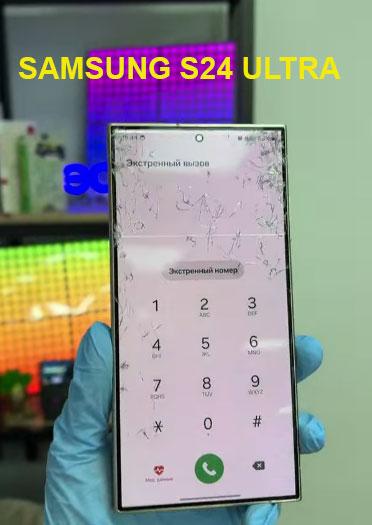
A significant number of Samsung Galaxy smartphone owners, spanning the S24, S25, and S26 series, are reporting a critical issue following the installation of the One UI 9 update. Users describe encountering an “Access Denied” error message, presented in XML format, which prevents them from accessing their device’s home screen after the update process is completed and initial setup begins.
Scope of the Problem and Affected Models
The issue gained widespread attention after an Android Authority report on October 12. Since then, numerous users have shared their experiences on platforms like Reddit and X (formerly Twitter). Affected devices include the current Galaxy S24 lineup, as well as the upcoming S25 and S26 generations. Reports also indicate similar malfunctions on some of Samsung’s foldable smartphones.
While the exact scale of the problem remains unknown, the volume of user testimonies suggests a widespread bug. Notably, the update process itself typically completes successfully, with devices rebooting without apparent difficulty. The problem exclusively arises during the initial setup phase post-update, when the system prompts for a welcome procedure.
The Error and Potential Causes
According to user accounts, upon interacting with the welcome setup screen, an XML error message with the text “Access Denied” appears. This effectively halts the device’s configuration, blocking access to the home screen and rendering the smartphone unusable.
Information from insider Fahad Ali Javed suggests that the malfunction might stem from changes implemented on Samsung’s servers, potentially to prevent firmware leaks. However, Samsung has not officially confirmed this theory, nor has it provided any explanation for the glitch or a timeline for a fix.
Workarounds and Hopes for a Swift Resolution
In the absence of an official statement, users are actively seeking temporary solutions. Some have reported success with a workaround involving a complete disconnection from all networks (Wi-Fi and mobile data) before commencing the setup process. This method appears to prevent the error from appearing.
Other users have found that simply restarting their devices multiple times resolved the issue. This could indicate that a server-side component causing the glitch may have been updated or fixed by Samsung, allowing devices to finally complete the setup phase.
Despite these temporary measures, users are awaiting an official comment and a definitive fix from Samsung. This incident highlights the critical importance of thorough testing for software updates before their deployment to millions of devices, especially flagship models.