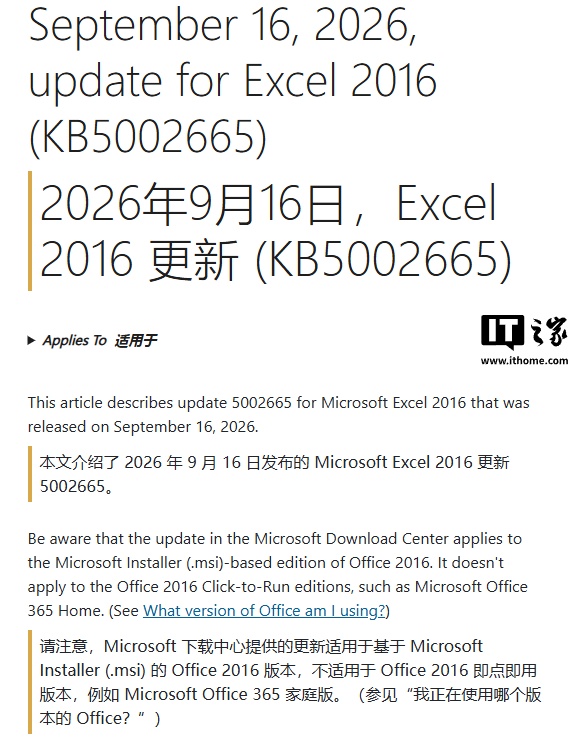
Microsoft has rolled out an update to address a frustrating issue that affected users of Microsoft Excel 2016, disabling its copy and paste functionalities. The fix, identified as update 5002665, was released on September 16th, targeting a problem introduced by a previous update, KB5002914.
The Problem: A Glitch in the System
Users reported widespread difficulties with Excel 2016, primarily being unable to copy, paste, or even select cells within the application. Some users also experienced the auto-fill feature malfunctioning, further disrupting their workflow. This issue emerged after the installation of the September update KB5002914, leading to significant productivity roadblocks for many.
The Solution: Update 5002665 Arrives
The new update, 5002665, specifically targets and resolves the copy/paste bug. Microsoft confirmed the release through its official support documentation, signaling a commitment to quickly rectify such disruptive glitches.
Scope of the Fix: Who is Affected?
It is important for users to note that this particular fix, update 5002665, is currently only applicable to specific versions of Excel 2016. According to Microsoft’s support documentation, this update is designed for installations of Office 2016 that were installed using the Microsoft Installer (.msi) method. It does not apply to Office 2016 Click-to-Run versions, such as Microsoft Office 365 Home.
What About Other Versions?
Microsoft previously acknowledged the issue affecting various Office versions, including Excel 2016 and Excel 2024 LTSC Professional, following the September update. While a fix is now available for certain Office 2016 MSI installations, the company has not yet provided a similar patch for Office 2024. Users of Office 2024 experiencing similar copy/paste issues will need to await further updates from Microsoft.
Looking Ahead
This situation highlights the ongoing challenges in software development and deployment, where updates, while intended to improve functionality and security, can sometimes introduce unforeseen bugs. Microsoft’s prompt release of a fix for the affected Excel 2016 users demonstrates their responsiveness to user feedback and commitment to maintaining a stable user experience. However, the delay in providing a solution for Office 2024 users may cause concern for those relying on the latest versions of the productivity suite. Users are advised to check their Microsoft Update history and ensure they have installed the latest available patches for their specific Office installation type.