Microsoft is taking steps to improve the native application experience on Windows 11, aiming to reduce reliance on web-based technologies and cut down on memory consumption. The latest update to the Windows App SDK, version 2.6.4, released on October 27th, brings enhancements to the WinUI framework, addressing issues that have led some developers to use web wrappers for their applications.
Key Improvements in Windows App SDK 2.6.4
This update focuses on several critical areas:
- Simplified Language Model API Access: Developers can now use the Language Model API without needing to first unlock the Language Model Limited Access Feature (LAF). The change is identified by the indicator
LanguageModel_RemoveLimitedAccessFeatureRequirement. - Updated ONNX Runtime: The integrated ONNX Runtime has been upgraded to version 1.27.1, boosting performance for Windows AI and machine learning capabilities.
- Fix for Text Control Crash: A fix has been implemented to resolve a crash that occurred when text controls like
TextBoxandRichEditBoxremained active during the application’s shutdown process, while the XAML core was being destroyed. This issue is marked withCCoreServices_InputServicesTeardownOrder. - Reliability and Diagnostics: The release also includes general improvements in reliability and diagnostics across WinUI 3, application lifecycle management, notifications, Composition, and Windows AI.
Addressing the “Web Wrapper” Problem
For a while, a notable challenge in the Windows 11 app ecosystem has been the lack of essential native controls within WinUI, such as data grids, charts, and ink input capabilities. This deficit has pushed many developers towards using web technologies like Electron and WebView2 to build their desktop applications, often leading to higher memory usage and a less integrated system experience – the so-called “web wrapper” applications.
The recent updates, including the experimental Windows App SDK 2.5.4 released on September 29th, have begun to fill these functional gaps. This version introduced controls like TableView, Chart, and InkCanvas/InkToolbar. While these are available for developers to test in WinUI Gallery 3.0, Microsoft has cautioned that they are not yet mature enough for production use.
The Promise of Lighter, Faster Apps
The introduction of these new native controls holds the promise of making future Windows 11 applications for office productivity, finance, note-taking, and management lighter, faster, and more aligned with the native system experience. However, the actual reduction in “web wrapper” applications will depend on when these experimental features become officially stable and whether Microsoft can continue to enhance performance, developer tools, and the overall control ecosystem.
Capabilities of New Controls (Experimental)
The experimental TableView control offers features for displaying, sorting, filtering, grouping, and editing large datasets. It supports column resizing, frozen columns, column templates, validation, and row virtualization. Microsoft’s demo application showcased its ability to handle 11 columns and 5,000 transaction records.
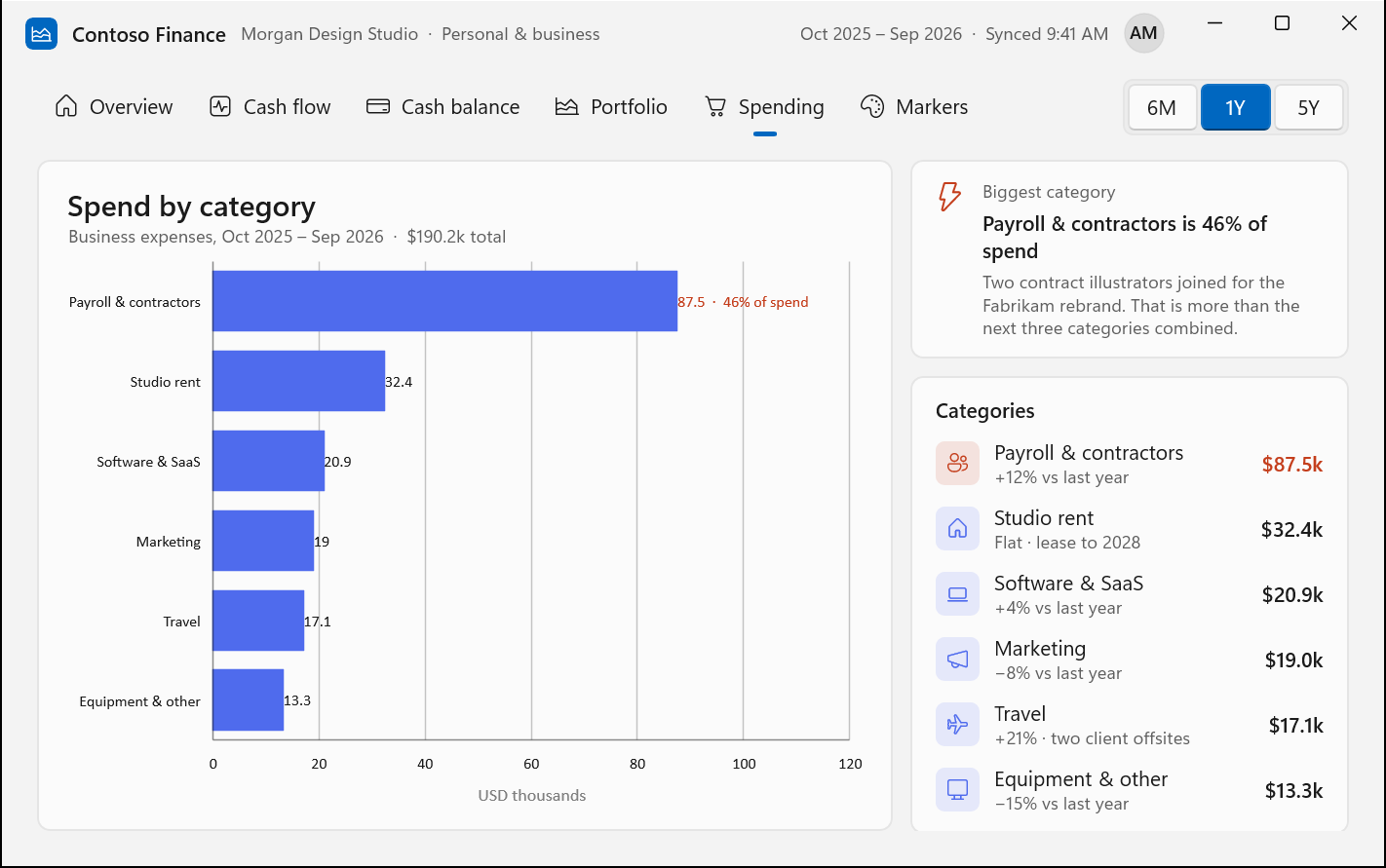
The Chart control provides various chart types, including line, area, and bar charts, with support for categorical and time-based axes, legends, data labels, and multiple data series.
InkCanvas and InkToolbar enable native support for stylus, touch, and mouse input, making them suitable for applications requiring note-taking, digital signatures, and annotations.
Current Limitations
Despite these advancements, the new controls have limitations. TableView is not a complete replacement for a full data grid, lacking features like spreadsheet-like interaction, multi-row selection, multi-column sorting, hierarchical grouping, and column reordering. Similarly, the Chart control is missing common functionalities such as pie charts, zooming, and panning.
Looking Ahead
At Build 2026, Microsoft acknowledged significant functional gaps in WinUI and has been encouraging developers to return to native development. Beyond the new controls, Windows App SDK 2.5.4 also addressed resource tracking issues causing memory leaks and improved the cleanup mechanism for unreachable WinUI objects in .NET applications. These ongoing efforts signal Microsoft’s commitment to strengthening the native Windows app development platform.