Microsoft has rolled out new preview builds for Windows 11 26H1 to Insiders in the Beta and Experimental channels, bringing significant enhancements, particularly to the Windows Search experience and the Autoplay dialog.
Beta Channel Gets Search Improvements and Cloud Rebuild Options
Members of the Windows Insider Program’s Beta channel can now test build 28020.3382 for Windows 11 26H1. This update introduces several refinements, with a strong focus on search functionality.
Refined Search Experience
- Simplified Search Page: The main search page has been streamlined to reduce visual clutter and make it easier for users to quickly access their recent search history.
- Enhanced Search Result Clarity: Improvements have been made to how search result sources (apps, settings, files, web results, or Microsoft Store offers) are displayed. This makes it clearer what kind of result you’re seeing and where it will lead.
- New Search Settings: A new option in Settings > Privacy & security > Search allows users to control whether web search results and suggestions from the Microsoft Store are displayed alongside local search results.
Cloud Rebuild Enhancements
The Cloud Rebuild feature, which reinstalls Windows 11 to a known good state, has received significant updates:
- Permanent Data Erasure: Cloud Rebuild can now permanently erase data on a device’s storage. When initiating the recovery process in Windows Recovery Environment (WinRE), users can choose ‘Delete files’ if they intend to keep the PC, or ‘Delete and clean files’ if they plan to recycle, return, or transfer the device. The ‘clean’ option securely deletes data using the drive’s built-in hardware before reinstalling Windows, a process that is irreversible.
- Remote IT Administration: IT administrators can now remotely configure and run Cloud Rebuild via the Recovery CSP. This allows them to use the currently installed version or specify a target version for the rebuild.
Updated Autoplay Dialog for External Media
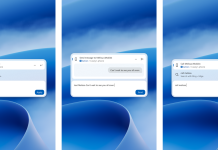
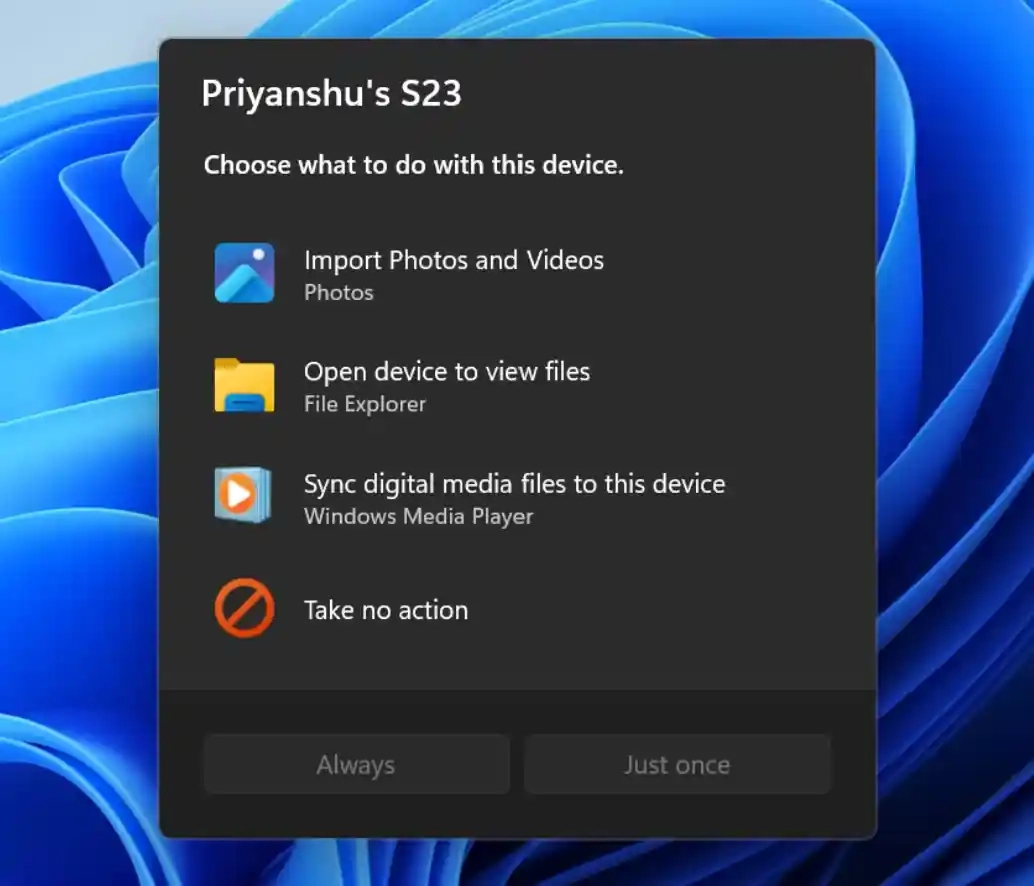
Microsoft has refreshed the Autoplay dialog for external drives. Users can now choose specific actions when connecting USB drives, smartphones, cameras, or discs. The updated WinUI-based interface aligns better with the overall Windows 11 aesthetic and now supports dark mode. It is also more responsive to text scaling and display settings. Notifications for this dialog are now pinned to the Notification Center for easy access.
Temporary Rollback of Loading Indicators
In response to identified issues, developers have temporarily reverted to the legacy loading indicators for critical system scenarios like OS startup, login, restart, shutdown, and update installation. The new loading indicators are expected to return soon.
Experimental Channel Unveils Advanced Search Capabilities
Windows Insiders in the Experimental channel are testing build 28120.3393, which showcases even more advanced features for Windows Search.
Expanded Windows Search Functionality
Building on earlier rollouts, this update expands the capabilities of the new Windows Search experience, allowing users to perform more actions directly from the search entry point:
- Inline Actions: Users can now adjust volume, screen brightness, or cursor size directly within search results using inline sliders. Action labels are clearer, and the system recommends more executable actions to help users discover new features.
- Phone Link Integration: With a connected supported phone via Phone Link, users can make calls, send text messages, and enable ‘do not disturb’ modes directly from Windows Search. This currently supports Android devices, with iPhone support planned for early next year.
- Richer Search Results: The search now supports previewing files, displaying details like the last modified date, storage location, and author. Users can also get direct web answers for weather, stocks, and general knowledge questions, as well as discover apps and games from the Microsoft Store. Like web results, Store app results can be enabled or disabled in Settings > Privacy & security > Search.
- Result Filtering: Users can scroll to view more results and filter them by categories such as ‘Files and Folders,’ ‘Settings,’ and ‘Actions’ for quicker navigation.
- Feedback Controls: Users can right-click any search result or recommendation to provide feedback (thumbs up/down). They can also remove unwanted items from the initial search view before typing. Microsoft has also made minor visual and interaction tweaks to Windows Search based on user feedback.
Microsoft notes that the new Windows Search opens from the centered bottom of the screen by default, and work is underway to adapt it for different taskbar positions and invocation from the Start menu.
Other Experimental Updates
- Autoplay Dialog Update: Similar to the Beta channel, the Autoplay dialog for external drives has been updated with a WinUI-based interface that supports dark mode and is more responsive.
- DPAPI Warning: The Data Protection API (DPAPI) system will issue a warning for encryption and decryption operations using interactive user confirmation prompts. This mechanism is scheduled to be retired in April 2027. Developers must migrate to modern, non-interactive protection schemes before this deadline. Standard DPAPI operations without interactive prompts will continue to function normally.
- Security Key PIN Interface: The PIN entry interface for security keys has been updated, with the removal of the ‘Other user’ icon for a more streamlined login experience.
- Gaming Enhancements: A new Game Task Viewer interface has been introduced in Xbox mode, featuring a navigation bar for quick access to ‘Exit to Desktop’ and device power options, simplifying critical system operations during gameplay.
- File Explorer Improvements: Significant enhancements have been made to File Explorer, including faster home page loading, improved responsiveness, touch gesture scrolling for the ‘Featured’ section, display of file sizes with appropriate units (KB, MB, GB), middle-click opening of folders in new tabs, more reliable cloud file thumbnail previews in the details pane, and a fix for an issue where the address bar content was cleared when entering edit mode.
- Window Design: As with the Beta channel, legacy loading indicators have been temporarily restored for specific system scenarios to address known issues.