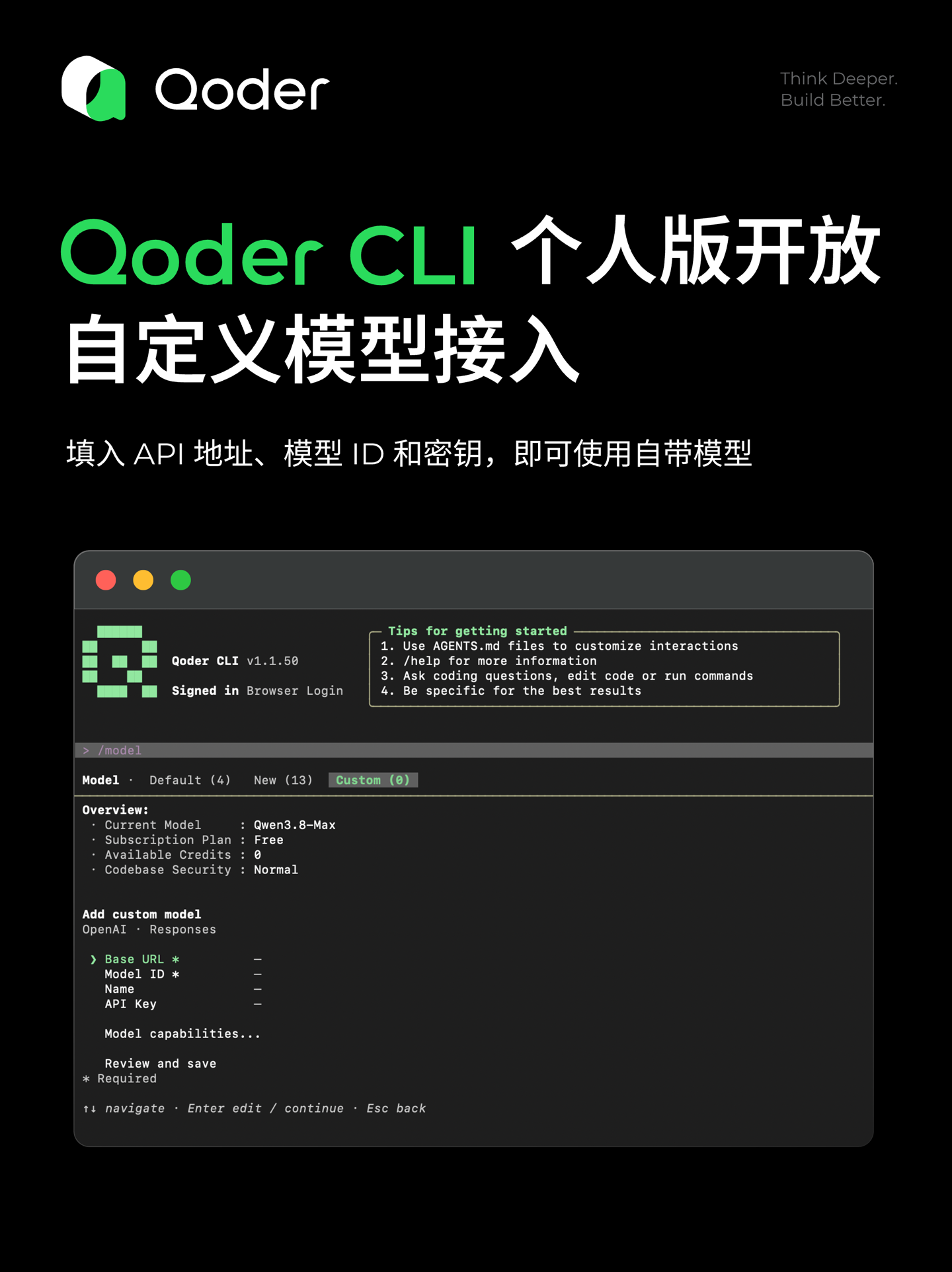
Alibaba’s AI programming tool, Qoder CLI, has opened up a new avenue for personalization. As of version v1.1.50, individual users can now integrate their own custom AI models, marking a significant step in making the platform more flexible.
Qoder CLI: A Deeper Dive
Qoder CLI, an AI programming command-line tool, was initially launched by Alibaba in October 2025. It is part of the broader Qoder intelligent agent programming platform, designed to streamline the coding process through AI.
Personalization for Everyone
Previously, the integration of custom models might have been more restricted. However, with this latest update, both free and paid individual users of the personal edition can now leverage their preferred AI models. This applies to both the international and CN (China) versions of Qoder CLI.
The process is designed to be straightforward. Users simply need to input the API address, the Model ID, and their API Key to connect their chosen model. This allows for a tailored coding experience, potentially utilizing specialized or fine-tuned AI models that best suit a user’s specific project needs.
Context Capacity Management
Alibaba’s official recommendation is to accurately specify the context capacity according to the actual specifications of the custom model. This ensures optimal performance and prevents potential issues related to information processing. If the context capacity is left blank, Qoder CLI will default to managing a 128K context window.
How to Add Your Custom Model
For users eager to try out this new feature, the steps are outlined as follows:
- Type
/modelto access the model settings. - Press the
Tabkey or use the left/right arrow keys (←→) to navigate to theCustompage. - You can either press
Enterwhile the cursor is onAdd custom model, or directly pressnto open the add wizard. - Select the protocol type: either
OpenAI-compatibleorAnthropic-compatible. - You will then be prompted to enter the following information sequentially:
- Base URL
- Model ID
- Name (for your reference)
- API Key
- Model capabilities (optional, but recommended for best results)
- Finally, review your settings and save them.
This update signifies Alibaba’s commitment to empowering individual developers and users with more control over their AI tools, making Qoder CLI a potentially more versatile asset in the AI-powered development landscape.