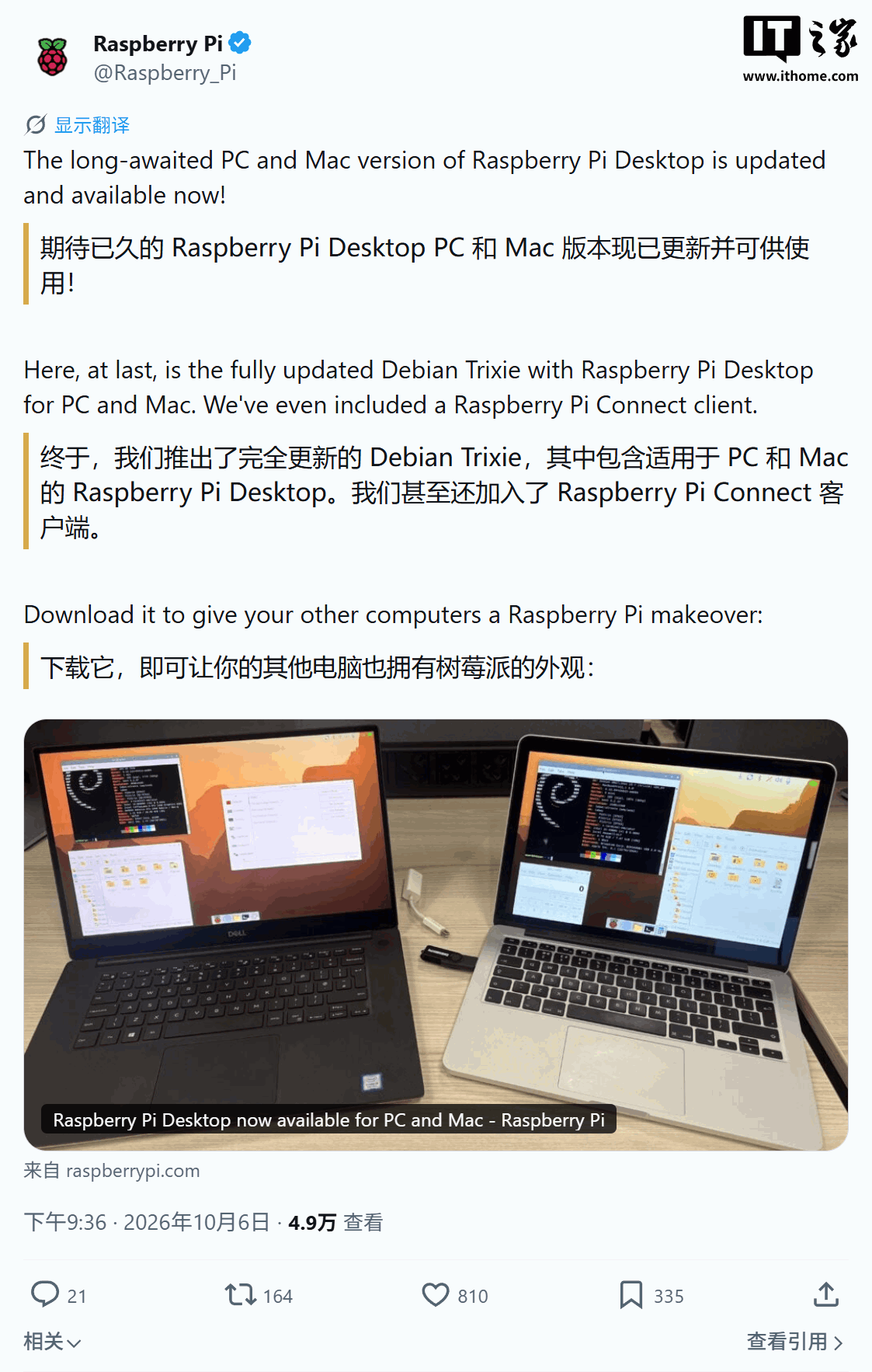
The Raspberry Pi Desktop operating system, designed for standard PCs and Macs, has received its first major update in approximately four years. Announced by the official Raspberry Pi account on October 6th, this significant release marks a shift towards a modern, 64-bit computing experience for users of non-Raspberry Pi hardware.
A New Era for Raspberry Pi Desktop
The previous version of Raspberry Pi Desktop, which was based on Debian 11, had been without updates for some time. The new iteration is built upon Debian 13 “Trixie” and brings substantial improvements. Most notably, it fully embraces the 64-bit architecture, leaving behind its 32-bit roots. This move ensures better performance and compatibility with modern hardware and software.
Modernized Interface and Features
A significant visual upgrade accompanies the architectural shift. Raspberry Pi Desktop now features a redesigned user interface, including a new Dock that functions similarly to macOS docks. This dock can be used alongside or instead of the existing taskbar, providing quick access to applications and task management. The system also introduces a full-screen application launcher, which allows for alphabetical sorting of all installed apps, drag-and-drop customization, right-click menus, and a search function for effortless navigation.
Further enhancing the user experience is the introduction of a new Control Center, offering a centralized hub for managing system settings and preferences. This aims to streamline the user interaction and make customization more intuitive.
Enhanced Remote Access Capabilities
For users who need to access their machines remotely, the update brings a new client called Raspberry Pi Connect. This feature allows users to control PCs or Macs running Raspberry Pi Desktop remotely, either through a web browser or directly from a Raspberry Pi device. This expands the usability of the operating system for collaborative work or remote management tasks.
Hardware Compatibility
While the new Raspberry Pi Desktop is exclusively 64-bit, it remains compatible with most PCs from the last 15 years, as well as older Intel-based Macs. However, it’s important to note that the system does not currently support Macs equipped with Apple Silicon chips (M-series processors). This limitation means users with newer Apple hardware will not be able to run this latest version.
Installation and Usage
Raspberry Pi Desktop is designed to offer an experience similar to that found on Raspberry Pi devices, providing a familiar graphical interface and software environment. It can be conveniently run from a USB drive, allowing for portable use, or installed directly onto a computer’s hard drive for a more permanent setup. The ability to boot from USB makes it an excellent option for testing, demonstrations, or temporary operating system needs without altering the primary installation.
This substantial update signifies Raspberry Pi’s commitment to providing a versatile desktop Linux experience beyond its popular single-board computers. By leveraging the power of Debian 13 and incorporating modern UI elements and functionalities, Raspberry Pi Desktop aims to be a compelling choice for users seeking a free and adaptable operating system for their existing PC or Mac hardware.