Microsoft is introducing a familiar visual touch to the new Outlook for Windows and the web version, aiming to ease the transition for long-time users. Despite a lukewarm reception to the revamped application, the tech giant is committed to encouraging adoption. The upcoming update will feature a ‘classic theme’ option, designed to make the new Outlook feel more akin to its predecessor.
Bridging the Gap with Familiar Aesthetics
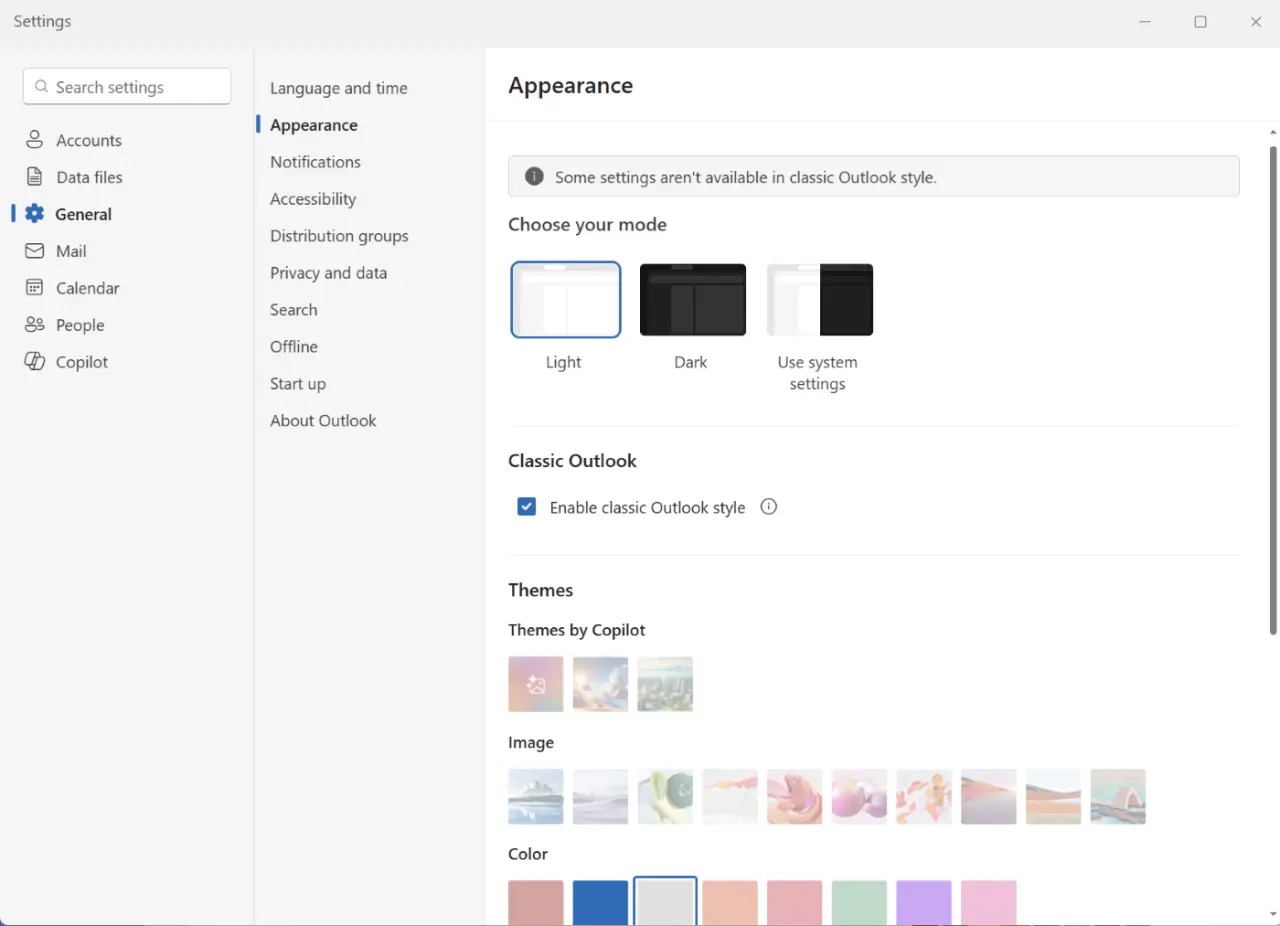
The new classic theme will alter the application’s icons, visual style, fonts, and layout to closely resemble the classic Outlook experience. This move acknowledges the comfort many users find in the established interface and aims to reduce the friction associated with learning a new design.
According to reports, users will be able to activate this classic theme through the application’s settings. The path is outlined as Settings > General > Appearance. Importantly, Microsoft states that this setting will not interfere with existing migration configurations or mailbox data. Its sole purpose is to adjust the visual presentation, offering a sense of familiarity for those migrating from the classic version.
Rollout and Deployment Timeline
Microsoft plans to begin rolling out this classic theme feature to users in the ‘Targeted Release’ program this month. The company has set a target completion for the phased deployment of this feature by the end of September 2026. This extended timeline suggests a careful and gradual approach to integrating the feature across its user base.
The introduction of the classic theme is a strategic step by Microsoft to address user feedback and enhance the overall user experience of the new Outlook. By providing a bridge between the old and the new, Microsoft hopes to encourage a smoother migration and ultimately increase the adoption rate of its redesigned email client.
While the new Outlook aims to consolidate the email experience across different platforms and offer a more modern interface, user sentiment has been mixed. Features such as the ability to switch back to classic versions of applications have been requested by users seeking a more stable or comfortable environment. Microsoft’s response with the classic theme option appears to be a direct effort to meet these demands.
This initiative highlights Microsoft’s ongoing efforts to refine its software offerings based on user interaction and feedback. The success of the new Outlook will likely depend not only on its features and performance but also on its ability to cater to the diverse preferences and established habits of its user community. The classic theme is a significant move towards achieving that balance.