Huawei’s Mate X8 AI interaction brings a fresh take on foldable phone user experience, adding new AI capabilities to the external screen with HarmonyOS 7.0.0.135 and later versions. The official launch showcased the device’s enhanced AI features integrated into the foldable design.
New AI Interaction on the Mate X8 External Display
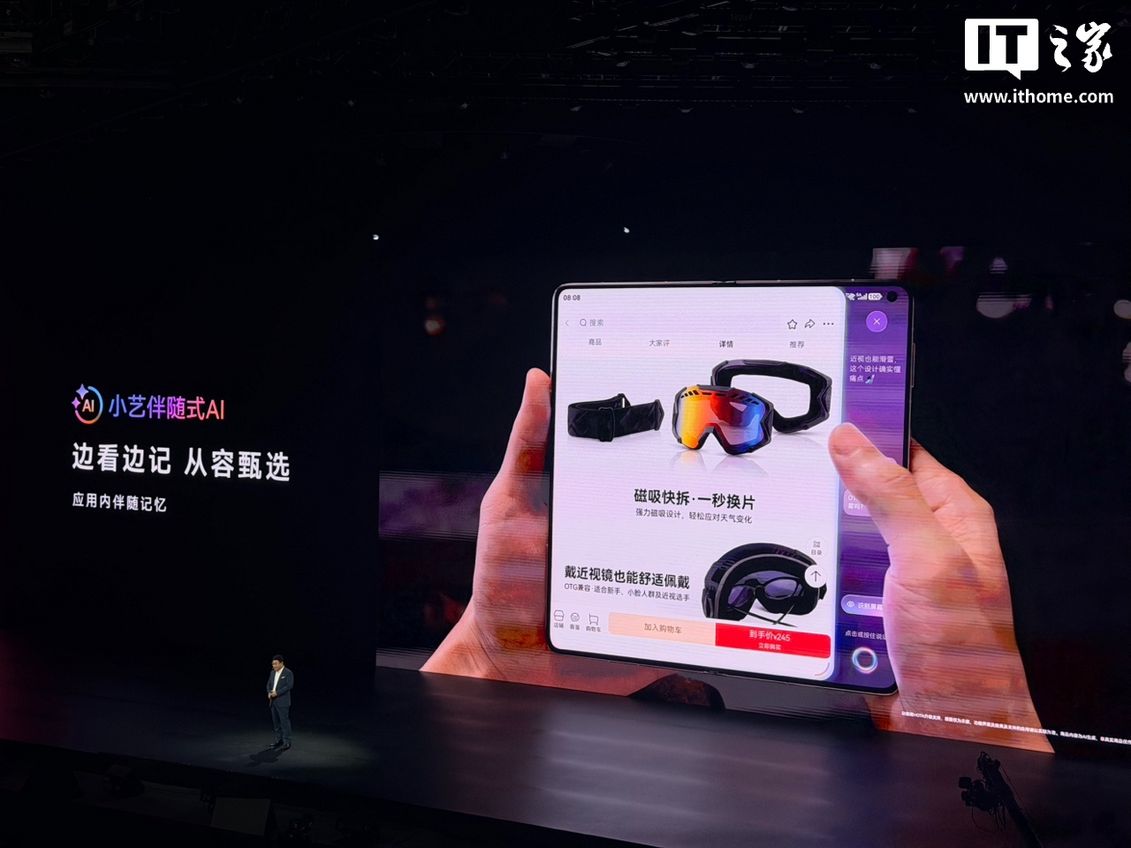
At the launch event, Huawei demonstrated the new companion AI experience triggered on the internal screen. However, the Mate X8 extends this with an innovative external screen AI interaction powered by HarmonyOS 7.0.0.135+. This AI, dubbed “Xiaoyi Companion AI,” intelligently senses screen content and user scenarios to offer features such as full-text summaries, long-article guides, memos and to-dos, and topic recommendations.
Users can interact with Xiaoyi anytime by first enabling companion AI via a double-tap on the navigation bar (Settings > System > Companion AI > Double-tap navigation bar to activate). When activated on the external screen, double-tapping the bottom navigation bar summons the companion AI, complemented by a dynamic light effect during content analysis.
User-Friendly Control and Unique Foldable Experience
The external screen AI offers three interface modes: bottom companion, large-screen companion, and minimalist companion, easily switched by dragging the app’s side edge. Exiting the AI interface is seamless via upward or sideways swipes on the home screen.
Unlike the internal display, the external screen’s companion AI employs a distinct interaction style where the app interface is elevated, and recommended services appear in a lifted small window at the bottom of the screen, enhancing usability on the foldable’s outer display.