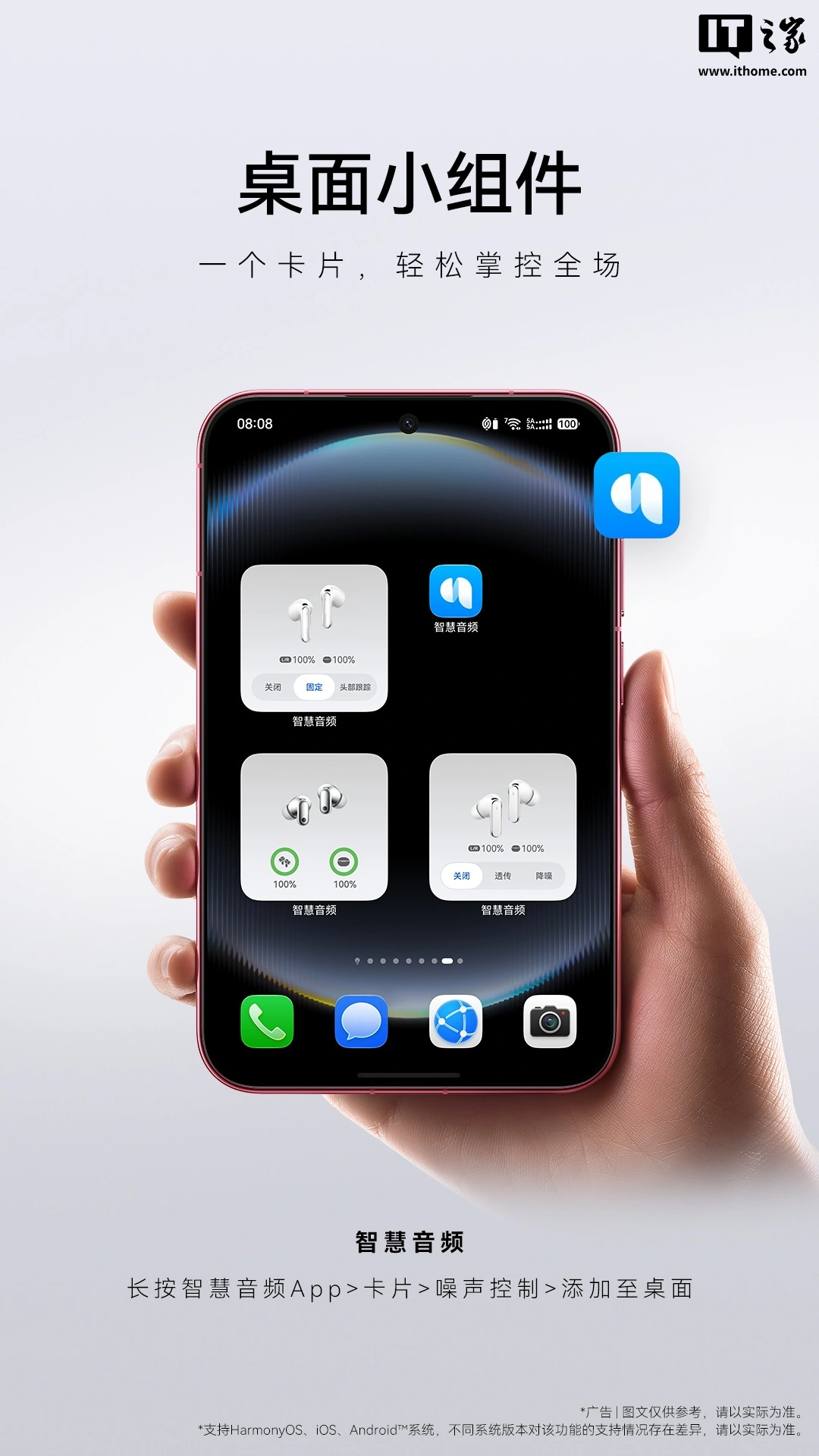
Huawei has officially rolled out its new Smart Audio desktop widget, a move that enhances the user experience for owners of the company’s audio devices. This new feature allows users to quickly check battery levels, switch between noise cancellation modes, and control spatial audio settings directly from their home screen.
Cross-Platform Compatibility
In a significant step towards broader accessibility, the Smart Audio widget is now available for users across three major operating system families: HarmonyOS, iOS, and Android. This cross-platform support ensures that a wide range of Huawei device users can benefit from the convenience offered by the widget.
Enhanced Audio Management
The Huawei Smart Audio app, which has been available on the Apple App Store since March of last year, already provides users with a suite of features for managing their audio devices. These include sound effect settings, head-tracking controls, and device location services, along with integrated guides and troubleshooting information. The introduction of the desktop widget streamlines these functionalities, making them even more readily accessible.
Device-Specific Features
The widget has been thoughtfully adapted to showcase specific features of different Huawei audio products. For instance:
- The Huawei FreeClip 2 ear clip headphones display the remaining battery for both the earbuds and the charging case.
- The Huawei FreeBuds 7 headphones allow for quick toggling between noise cancellation modes: “Off,” “Transparency,” and “Noise Cancellation.”
- The flagship Huawei FreeBuds Pro 5 headphones offer a streamlined selection of three spatial audio modes: “Off,” “Fixed,” and “Head Tracking.”
Adding the Widget
The process for adding the widget varies slightly depending on the operating system:
- Android users can long-press on their home screen, select “Add Widget,” then navigate to “Huawei Smart Audio” and choose the “Battery” option.
- iOS users can long-press on their home screen, tap “Edit,” then “Add Widgets,” select “Smart Audio,” and choose “Spatial Audio.”
- HarmonyOS users, or for general use, can long-press the Smart Audio app icon, access “Cards,” and then add “Noise Control” to their desktop.
Huawei Smart Audio App Capabilities
The Huawei Smart Audio application serves as a central hub for Huawei’s Bluetooth audio device users, facilitating quick connection and comprehensive management of headphones and eyewear. Key features include:
- Device management and audio setting adjustments.
- Firmware updates.
- Access to operational guides and FAQs.
- Connection to up to 10 devices per earbud.
- Easy pairing on iOS and Android systems.
- Battery level display.
- Noise control functionalities.
- High-definition spatial audio support.
- Huawei Histen sound effects.
- Headphone “Find My” feature.
- Customizable pop-up themes.
- Gesture and head control options.
Hardware Highlights
Among the devices mentioned, the Huawei FreeBuds 7悦彰, launched on September 7, 2026, with a starting price of 999 yuan, features a proprietary third-generation AI audio chip and supports up to 4.6Mbps lossless audio transmission, along with semi-in-ear active noise cancellation. The Huawei FreeBuds Pro 5悦彰 is positioned as a flagship product, boasting dual-core AI sensory noise cancellation and universal spatial audio capabilities.
The release of the Smart Audio desktop widget underscores Huawei’s commitment to refining the user experience for its ecosystem of connected devices, offering greater convenience and control through intuitive software integration.