Microsoft has acknowledged and addressed a bug in its September cumulative update for Windows 11 that caused issues with the File History backup feature. The problem affected users of Windows 11 versions 24H2 and 25H2, leading to disruptions in their file version backup capabilities.
The File History Fiasco
The issue, identified in the cumulative update KB5124008 released in September, caused the File History feature to malfunction. File History is a built-in Windows tool designed to automatically back up important user files, such as documents, pictures, videos, and custom folders, to an external drive or network location. This feature is crucial for users who need to recover previous versions of files in case of accidental deletion, overwriting, or modification.
According to reports from Windows Latest, Microsoft confirmed the bug through its official support documentation. Users who installed the September cumulative update reported encountering an error message stating “Reconnect drive” when attempting to connect their backup drives. Microsoft clarified that this was a software glitch within Windows 11 and not an issue with the external drives themselves.
Symptoms and Microsoft’s Response
Beyond the erroneous drive connection prompts, another symptom reported by users was the incorrect timestamp for the “Last backup” in File History. This led to an inaccurate timeline of backed-up files, making it difficult for users to locate and restore specific versions.
In some instances, users also observed application crash events in the Event Viewer, specifically involving FileHistory.exe and KERNELBASE.dll. These crashes further indicated the severity and impact of the bug on system stability and data backup integrity.
Microsoft has since addressed the problem by releasing an optional update, KB5124010, on September 22nd. This update is designed to resolve the File History malfunctions and restore the feature’s proper functionality.
Update Details
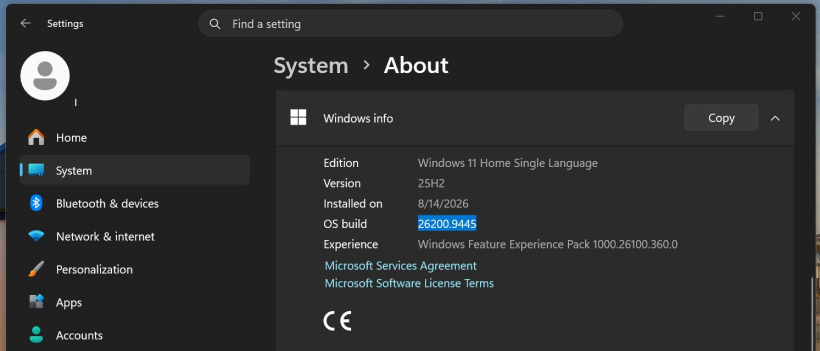
The original cumulative update, KB5124008, was a significant release for Windows 11, aimed at addressing numerous vulnerabilities and introducing new features. For Windows 11 version 24H2, the update brought the build number to 26100.9445. For Windows 11 version 25H2, the build number was updated to 26200.9445.
While KB5124008 fixed a substantial number of bugs (reportedly 611), it inadvertently introduced this File History issue. The subsequent optional update, KB5124010, specifically targets and rectifies the File History problem, along with other potential minor fixes.
What Users Should Do
Users who have encountered the File History issues after installing the September cumulative update are advised to install the optional update KB5124010. This should resolve the “Reconnect drive” errors, correct the backup timestamps, and prevent related application crashes. It’s always recommended to keep Windows 11 updated to ensure the latest security patches and feature improvements are in place, as well as to benefit from bug fixes.
Microsoft’s prompt acknowledgment and subsequent fix for the File History bug demonstrate their commitment to maintaining a stable and reliable user experience for Windows 11. Users relying on File History for critical data backups should ensure their systems are updated to the latest available patches.